
SIMULATOR and LIVE
The order ticket switches between two accounts. The current mode shows in the ticket and in the bottom bar.
SIMULATOR
Section titled “SIMULATOR”- A local paper account: it uses real MT5 prices, but execution is simulated on your computer.
- Nothing is sent to the broker.
- In Simulator settings you set currency, initial balance and costs (brokerage/fees per contract, stock fees, commission per lot). Reset simulator account erases simulated positions, orders and history.
- It is the account connected in your MetaTrader 5. It starts disarmed: nothing is sent.
- Arm LIVE account…: from then on, orders from the ticket and the chart go to the broker, until you click Disarm LIVE account, close the app or an error occurs.
- The account only arms if the account connected in MT5 is the expected one. When arming, the app asks whether to use the connected account; you can confirm it beforehand in Settings → Account.
- If a send becomes uncertain (no answer from the broker), new sends are blocked until you check MT5 and click Checked in MT5: release.
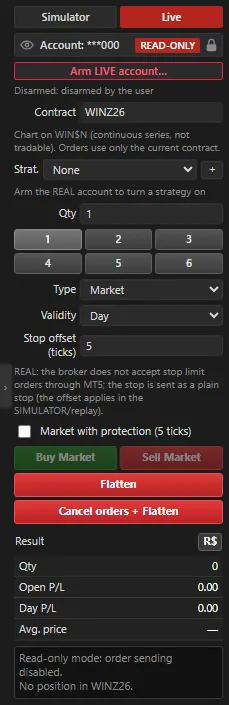 App screenshot with fictitious data (demo).
Performance report
Section titled “Performance report”The results of the accounts (SIMULATOR, LIVE, automations and replay) are in the Performance Report (Trading menu). See Report and log.