
Risk controls
The controls are in Tools → Settings, in the Risk and Rules tabs. Each tab has a part for the LIVE account and another for the SIMULATOR.
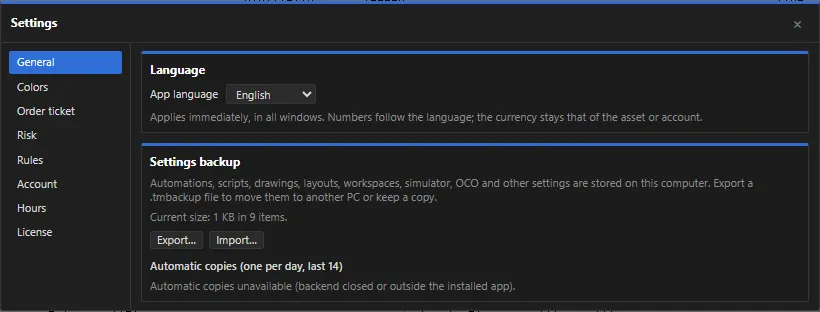 App screenshot with fictitious data (demo).
What is never blocked
Section titled “What is never blocked”The controls apply only to entries (opening or adding to a position). Flattening, canceling, the × of orders on the chart and the F12 key always go through, even with a limit reached.
Tightening and loosening
Section titled “Tightening and loosening”- Turning on or tightening a control applies immediately.
- Turning off or loosening asks for confirmation. If you check Require disarmed account to loosen, you can only loosen with the LIVE account disarmed.
Risk tab — LIVE account
Section titled “Risk tab — LIVE account”LIVE account limits
| Control | What it does |
|---|---|
| Max qty per order | Contracts (futures) or lots (forex/CFD) per order |
| Max position qty | Maximum position size, counting pending orders |
| Max exposure per stock | Maximum amount per stock, in the account currency, counting pending orders |
| Max daily loss | The day’s realized + open result, in the account currency. Also the global loss of LIVE automations |
| Price band (pts / %) | Maximum distance of a pending order from the last price; the tighter one applies |
| Orders per minute | Maximum entries per minute |
| Pending orders | Maximum pending orders per symbol |
LIVE account locks
| Control | What it does |
|---|---|
| Max data delay (s) | Futures, forex and CFD: with no trade for longer than this, only reduce or flatten |
| Stocks: max delay (s) | The same for stocks, whose quotes are further apart |
| Expiration: lock entries (min before) | On expiration day (B3), locks entries a few minutes before |
| Block entries outside trading hours | Uses the profile hours (Hours tab) |
| Disarm at day change | Disarms the account when the day changes (losing the connection always disarms) |
LIVE automations: farthest stop allowed (pts and % of price), emergency stop (% of price), grace period without a stop, daily loss per automation, sentinel (the interface stopped responding) and divergence between the wallets and MT5.
Risk tab — SIMULATOR
Section titled “Risk tab — SIMULATOR”The same limits, applied to simulated entries. Copy from LIVE brings the LIVE account values. On the simulator, the daily loss is net of costs.
Rules tab
Section titled “Rules tab”Extra rules, all off by default, for LIVE and for the SIMULATOR:
| Rule | What it does |
|---|---|
| Time window | Entries only within the time window |
| Daily profit target | Day profit reached: locks entries |
| Trades per day | Maximum trades started in the day (adding to the position does not count) |
| Consecutive losses | After N consecutive losing trades, locks entries for some minutes (0 = until the end of the day) |
| Pause after loss | After each losing trade, waits before a new entry |
| Mandatory stop | Rejects entries without a stop |
| Max stop | Rejects entries with a stop farther than this from the entry price |
| Profit giveback | If the day reached a peak and gave back a % of it, locks entries |
| Weekly / monthly loss | The week’s (since Monday) or month’s result, plus the open result |
On the simulator there is also the option Flatten and cancel everything when the max daily loss is reached. It does not exist on the LIVE account: it would be an automatic send.
Order confirmation
Section titled “Order confirmation”In Settings → Order ticket, Confirm each order opens a confirmation before each LIVE order (ticket, chart clicks, Alt+B, drags, × and F12). It comes unchecked.
Automations
Section titled “Automations”The automations panel has its own protections (global daily loss, orders per minute, emergency stop). See Automations.