
Replay
Replay plays back a past session in a chart tab, trade by trade, as if it were live. You trade through the order ticket, the chart and Super DOM, and you can turn on automations — all on the SIMULATOR-REPLAY account. Nothing goes to the broker: with the tab in replay, the LIVE account is disabled in it.
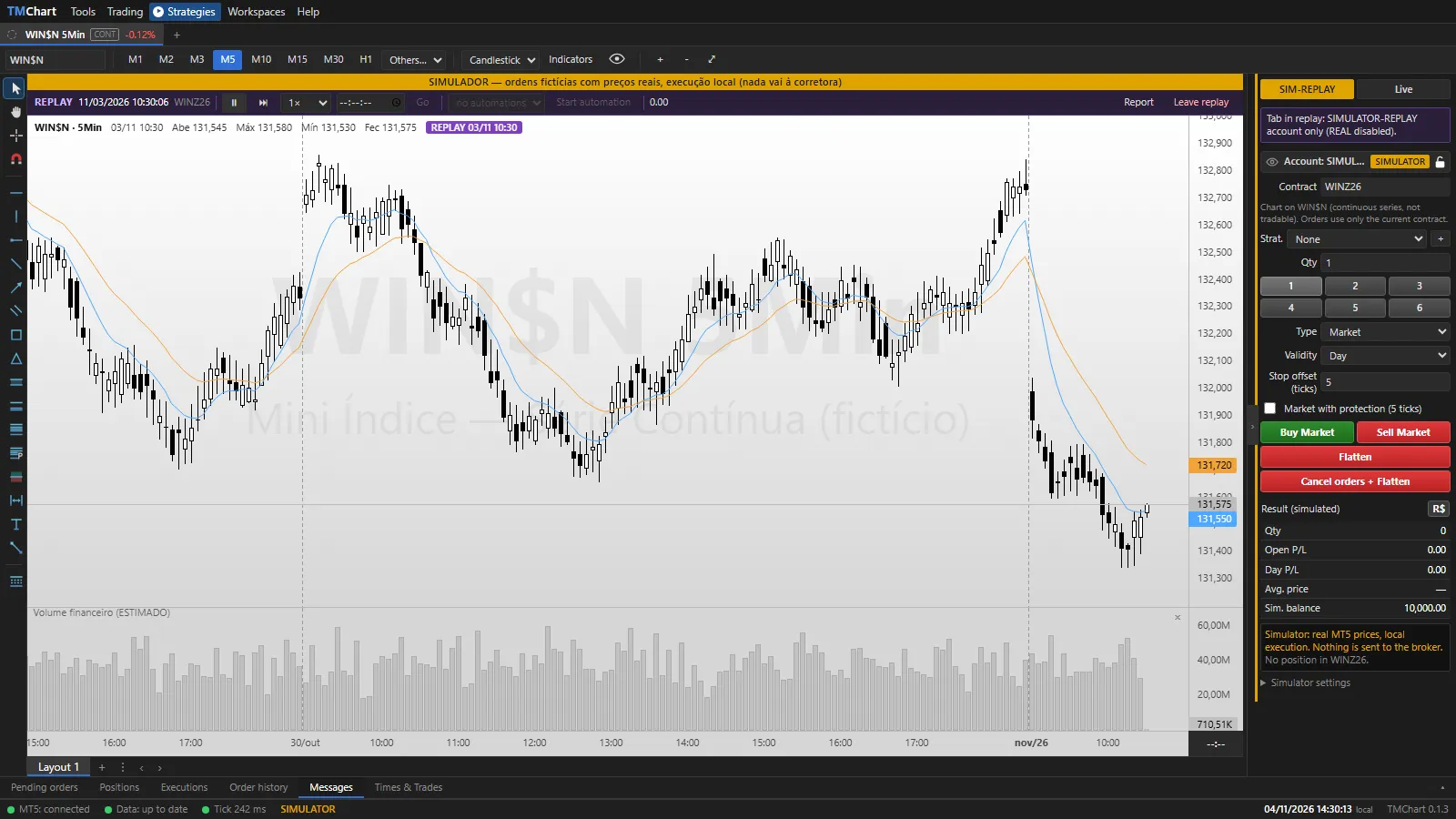 App screenshot with fictitious data (demo).
- Set the chart tab to the symbol and timeframe you want.
- Tools → Replay… (in secondary windows, right-click the chart).
- Pick the Date (a day before today) and the Start time and click Start replay.
The chart shows the history up to the chosen time and starts playing back the day’s trades. Times & Trades, Volume at
Price, aggression, indicators and scripts of the tab receive the replay; the other tabs stay live. On the continuous
series (WIN$N) the trades are those of the contract that was current on that day. If MT5 does not have the day’s
trades, the replay is built from M1 and the replay from M1 notice shows (less faithful). Replay works with every
chart type, up to Daily.
Control bar
Section titled “Control bar”- Play / Pause, Step (moves until the candle closes) and Speed.
- Go to time: jumps to the typed time. Going back in time ends the session (saved) and starts another from there.
- Automation in replay: pick an automation and Start automation; it trades on the replay account, on this chart’s symbol and timeframe, and flattens when turned off. Purchased packages and strategies that use the order book do not run in replay.
- The session result (manual + automation, net of costs) shows on the bar. Report opens the replay report; Leave replay ends the session and goes back to live.
SIMULATOR-REPLAY account
Section titled “SIMULATOR-REPLAY account”- It starts flat on every replay, with the SIMULATOR starting balance and costs.
- Orders, stop and target show on the chart with label, drag and ×, as on the SIMULATOR. The order ticket trade strategies (OCO) apply.
- When you leave, at the end of the day or on a new replay, the position is flattened at the last price and the session is saved.
- The Performance Report, on the Replay account, shows the sessions (last 50), apart from the normal simulator. See Report and log.